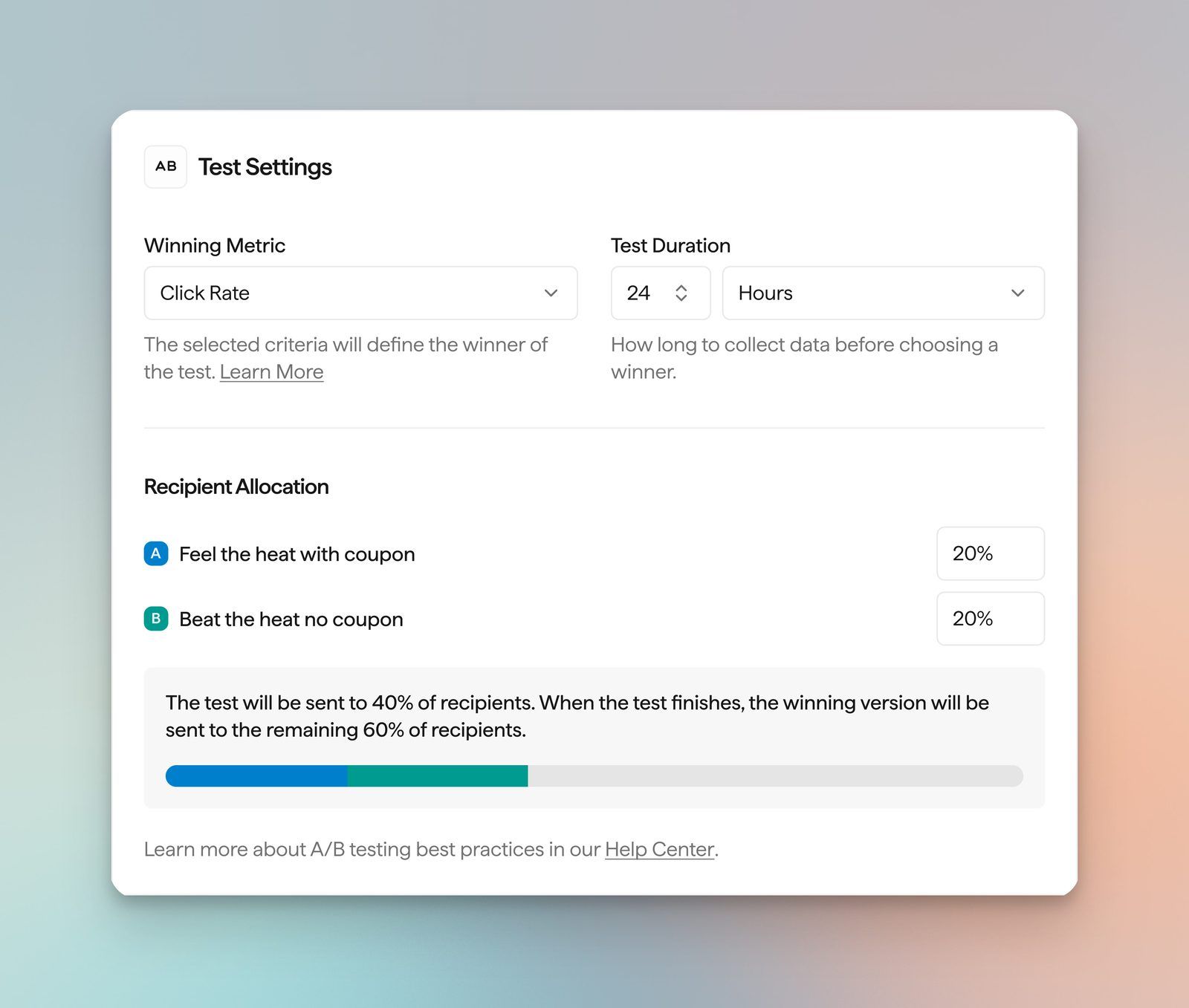
You can now A/B test email campaigns in Privy. Choose A/B Test Email when you create a campaign, then build up to 5 variants. Pick your test metric, choose the duration of your test, then Privy selects the winning variant.
Test subject line, preview text, coupon, or content design.
Choose Click Rate or Order Rate as the winning metric, then set duration and what percentage of your audience sees each version.
Easily compare versions side by side in campaign reporting, and see which contacts received which variant.
Out of the box UTM reporting means your A/B tests show up cleanly in Google Analytics.
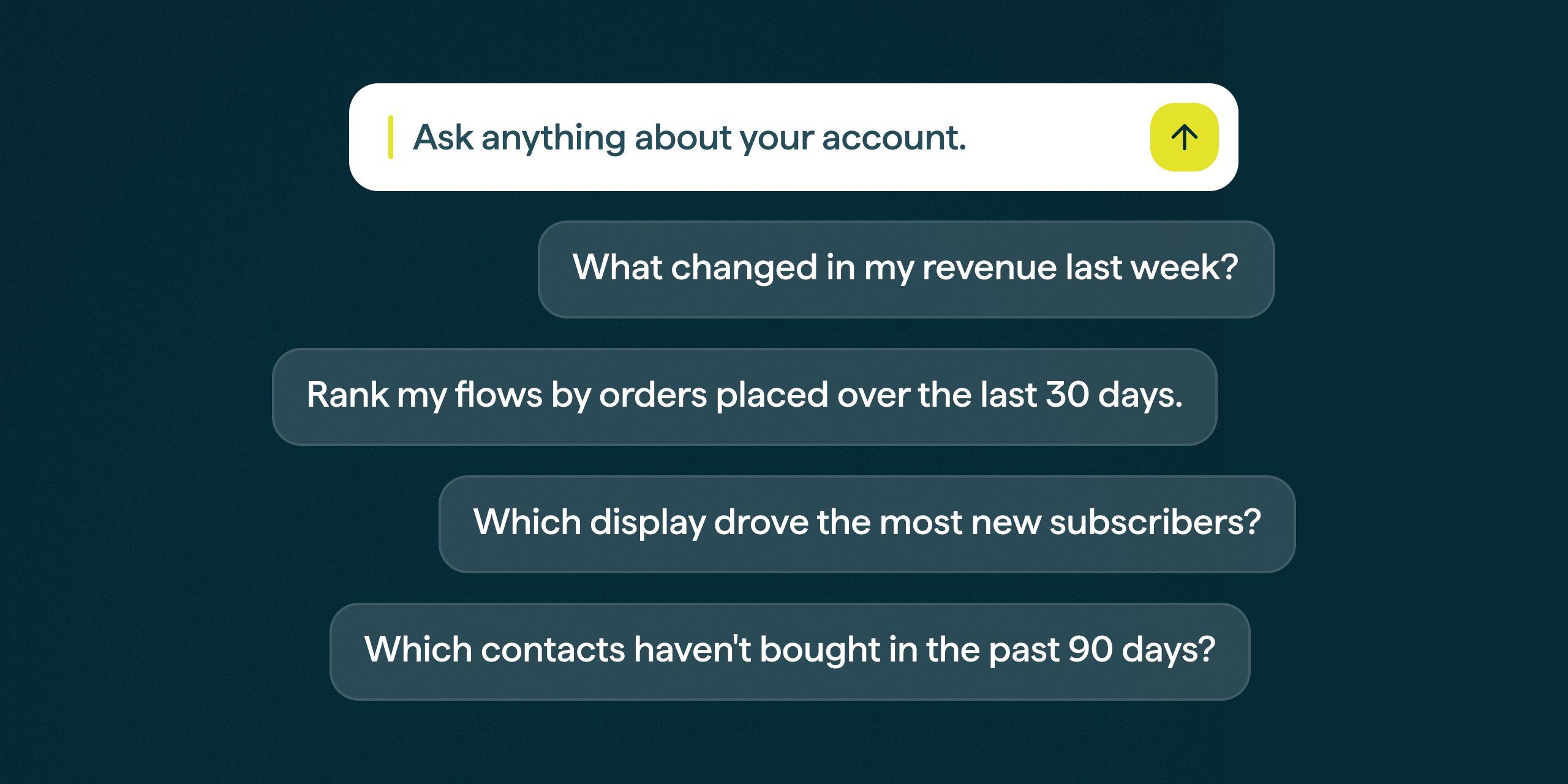
Privy MCP is now available on paid plans. Connect your Privy account to ChatGPT, Claude, Gemini, Cursor, or another assistant that supports MCP servers.
Ask about campaigns, contacts, coupons, displays, flows, orders, products, and segments with read-only access to your account. The MCP is read-only, meaning you won’t accidentally publish campaigns, displays or flows.
Ask for an account audit to see what’s working and what can be improved
See exactly what’s driving revenue
Get a rich understanding of your contacts and their engagement with your campaigns and flows
Timezone Sending is now available. Schedule a campaign to arrive at the same time in each recipient's local time zone, then let Privy deliver it over 24 hours across time zones.
BigCommerce Product Blocks
BigCommerce merchants can now add dynamic product blocks to campaign and flow emails. Choose products from your catalog, or let a dynamic block fill in best selling, most viewed, or recently added products.
Use product blocks in Campaigns and Flows
Pick static products, or recommend best selling, most viewed, or recently added
Narrow a dynamic product block to a BigCommerce collection
Shopify stores can now create Checkout Abandonment Flows in Privy. Start a Flow from scratch, choose the Started Checkout trigger, and use the existing cart block to show shoppers what they left at checkout.
Trigger a Flow when a shopper starts Shopify checkout
Show checkout contents in email with the cart block
You can add Exit Conditions such as ‘Started Checkout’ to ensure your Browse and Cart Abandonment Flows stops ending when Checkout begins
A New Home for Brand Assets
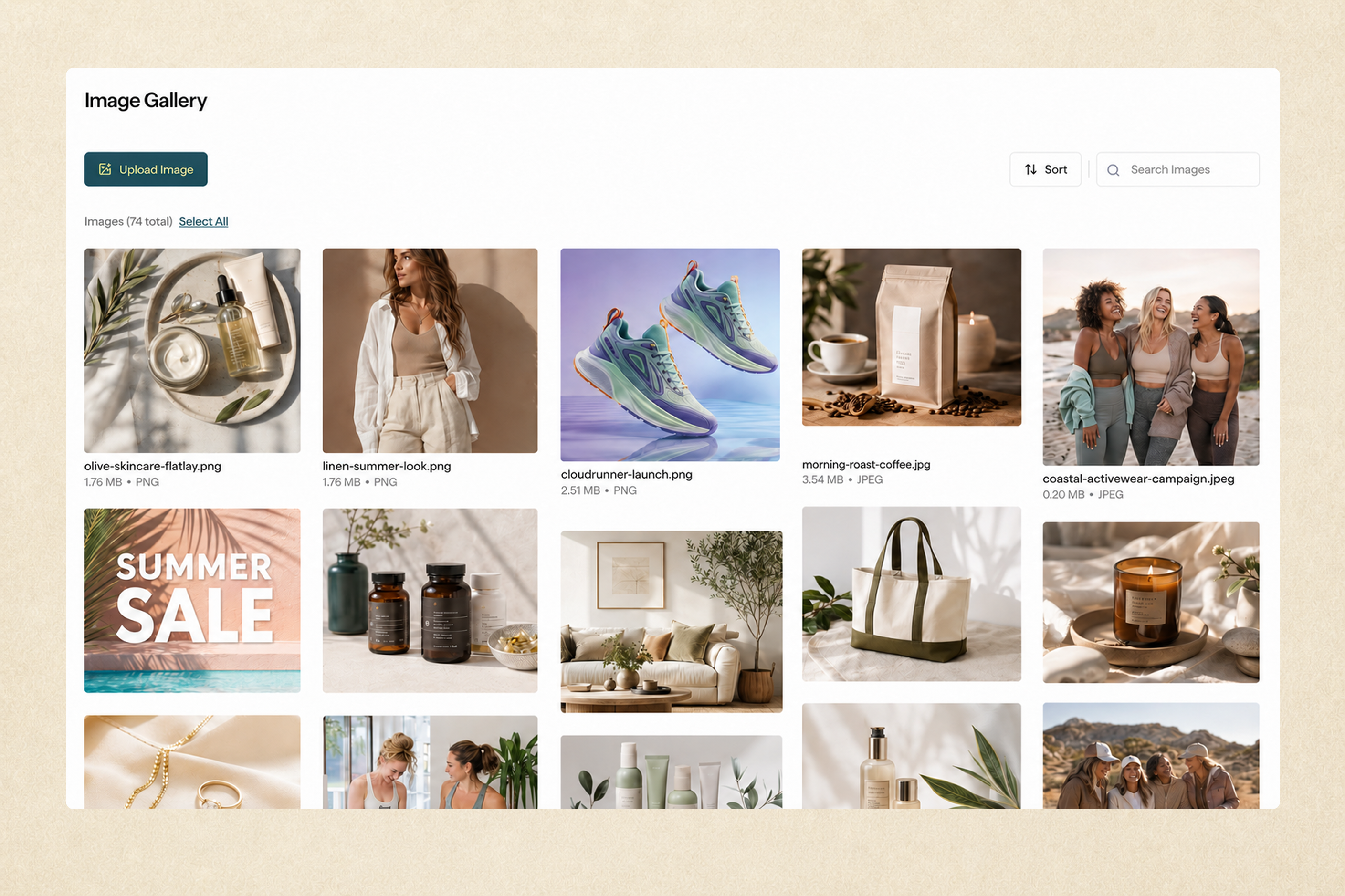
Brand Settings now has its own space in the Privy sidebar. The new Image Gallery makes it easier to search, sort, and manage saved images.
Facebook Custom Audiences is now available in Privy. Connect a segment to Facebook to use it for retargeting and lookalike audiences. Privy keeps the audience updated as segment membership changes.
Retarget contacts based on their engagement or purchase history
Build lookalike audiences from your highest-value segments
Keep Facebook audiences in sync as Privy segments change
Flows now have a Flow Completed trigger. Choose a source Flow, and Privy can automatically start the next Flow when a contact finishes it. Connect separate journeys without rebuilding them as one long Flow.
Improved BigCommerce Flow Targeting
BigCommerce merchants can now choose specific products or categories when setting up Abandoned Cart Flow filters. Order Placed Flows can also use product data from new and imported orders, giving BigCommerce stores more ways to tailor journeys to what shoppers browse and buy.
Copy Email Templates Across Businesses
If you manage more than one Privy business, you can now copy a saved email template from one business to another. Use the copy icon on the template, choose the destination business, and keep building without recreating the design.
Redesigned Settings
Settings now use a cleaner layout across profile, users, billing, email, integrations, text, and other account pages. Related settings are easier to find, and several pages have clearer empty states and actions.
Dynamic Product Blocks are now available in campaign emails. Recommend Most Viewed, Recently Added, Most Viewed, or Best Selling products based on configurable time windows, with fallback choices.
Faster Contact Management
The Contacts page now supports bulk selection for contact actions.
Select multiple contacts and run bulk actions from the Contacts page
Flows now have an Update Contact action node. Use it to suppress or unsuppress a contact automatically as part of a Flow.
Shopify SMS Consent Sync
For accounts with Shopify connected and SMS active, Privy now receives and processes SMS consent updates from Shopify when phone numbers are collected through checkouts.
Date Fields for Imports, Exports, and Integrations
Date Fields are easier to move in and out of Privy. You can map date columns during CSV import, include Date Fields in contact exports, and sync captured dates to connected tools.
Privy and Gorgias now work together to keep SMS conversations moving. When a shopper replies to a Privy text, that message can become a Gorgias ticket automatically, so your support team can respond from the inbox they already use while the shopper stays in the same SMS thread.
Turn incoming texts into Gorgias tickets automatically
Reply from Gorgias without moving the customer out of their Privy SMS conversation
Keep support workflows and SMS compliance cleaner with built-in STOP and opt-out handling
Privy now connects with Alia so signup data can flow straight into your Privy marketing. Sync Alia contacts, discounts, and mini quiz responses, then use that data to segment, personalize, and trigger Flows.
Create segments from Alia campaign, discount, and quiz data
Personalize email and SMS messages with synced Alia fields
Trigger and split Flows based on Alia profile data
Displays that collect phone numbers now support SMS Single Opt-In. New Displays still default to Double Opt-In, but you can switch to Single Opt-In from the Display settings when that is the right fit for your signup experience.
You can now export performance data from Privy for reporting, sharing, and offline analysis.
UTM Customization
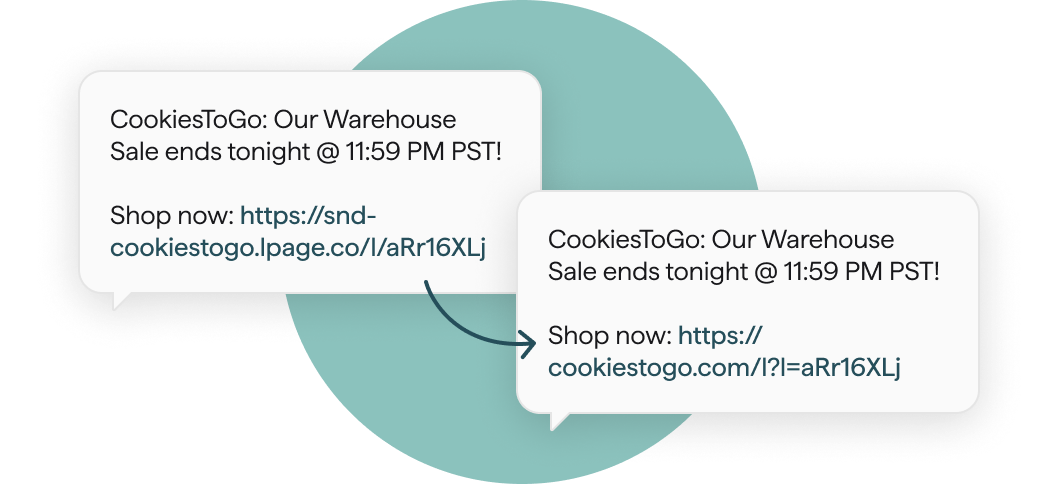
Privy now provides a cleaner, more flexible UTM structure for Email, SMS, and Flow links. That means more useful visibility in Google Analytics, plus the ability to customize tracking rules for each business.
See Privy campaign and Flow traffic more clearly in Google Analytics
Customize UTM parameters per business to match your reporting setup
Connect Privy with Judge.me to automate post-review messaging and engage customers based on the reviews they leave. Once connected, Privy imports your existing Judge.me reviewers and reviews in the background, then syncs new review activity in real time.
Trigger Flows when a product or store review is created or updated
Branch Flows with Split nodes based on rating, verified buyer status, photos, or videos
Send personalized follow-up emails or texts to reviewers automatically
Sync Judge.me reviewer tags to Privy contacts for segmentation and targeting
Flow emails can now automatically recommend products based on what shoppers buy or view.
Add Best Selling or Most Viewed product blocks to Flow emails
Choose timeframes for recent views or longer-term best sellers
Filter recommendations by Shopify collection
Trigger Flows From Tag Changes
You can now start a Flow when a Privy or Shopify tag is added or removed from a contact. Use tag changes to move customers into the right journey as their profile changes.
Trigger automations from Privy or Shopify tag changes
Chain Flows together by applying tags in one journey and using them to start another
Tag Contacts at Signup
Displays can now apply Privy tags the moment someone signs up. New contacts can immediately enter the right segments and Flows based on where and how they joined your list.
Send Test SMS
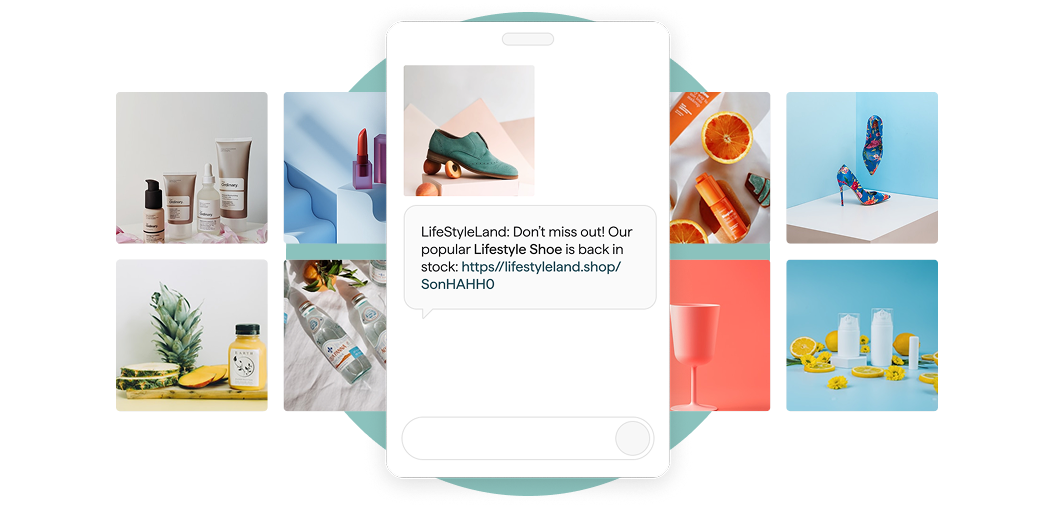
SMS campaigns and Flow SMS nodes now support test sends, so you can preview the message on a phone before sending it to customers.
Do Not Stack on Mobile
Product blocks now include a Do Not Stack on Mobile option. Keep product grids from collapsing into a single column on mobile devices when you want more control over the layout.
Connect your Recharge account to pull subscription data and events directly into Privy. Once connected, you can sync subscription customer data, build segments, and trigger Flows from subscription events.
Import Recharge customers and sync customer-level subscription properties into Privy.
Segment contacts by Recharge properties, such as Active Subscriptions or Has Valid Payment Method.
Personalize emails and SMS with Recharge properties, such as subscription counts.
Trigger Flows based on Recharge events, such as Upcoming Charge or Subscription Cancelled.
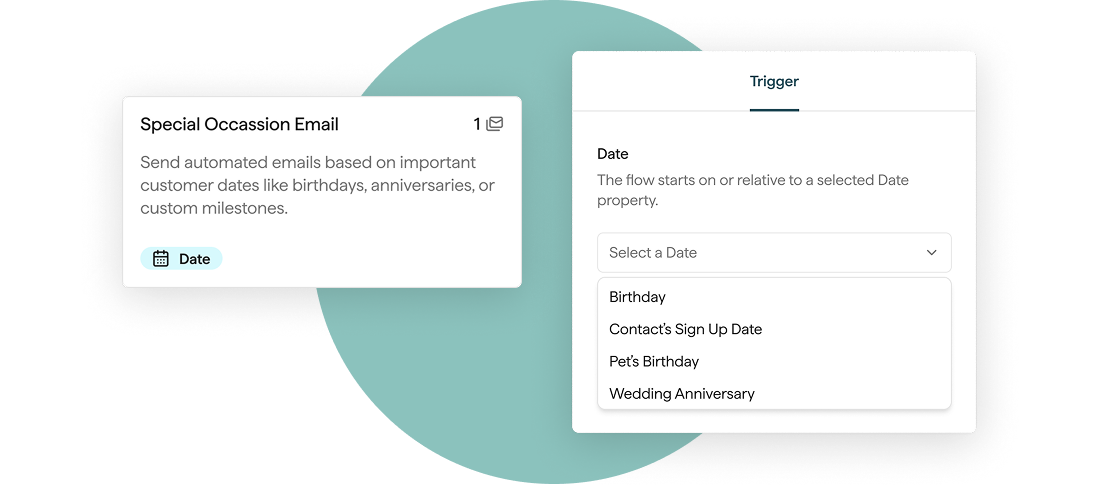
Trigger a Flow from any date field on a contact, like birthdays, renewals, or any custom date you collect. Automate messages around the dates your customers care about.
Send before, on, or after the date
Works with any date field collected via your Displays, including custom fields
Layer with Segment filters for more targeted sends
Segment by Days Since Last Order, First Order, or Last Visit
The Segment builder now supports an "in the last" operator on order and visit date filters.
Build re-engagement audiences like "visited store in the last 60 days"
Build winback audiences like "did not order in the last 90 days"
Segments refresh automatically as the rolling window advances
Suppress Contacts
You can now mark contacts as suppressed. Suppressed contacts stay on your list but are excluded from all email sends and do not count toward your mailable contacts for billing purposes.
Bulk suppress or unsuppress contacts from the Contacts list
Filter the Contacts list by suppression status
Suppressed contacts remain automatically do not receive emails
Useful for pausing sends to segments you're investigating or temporarily removing certain contact a source of complaints, without having to unsubscribe and re-import.
Start from Scratch Flow
You can now build a Flow without starting from a template.
Pick any trigger and build from a blank canvas
Save as a draft while you work; nothing sends until you publish
Reuse existing email templates in fully custom journeys
Build automated sends for cases that don't fit a standard template.
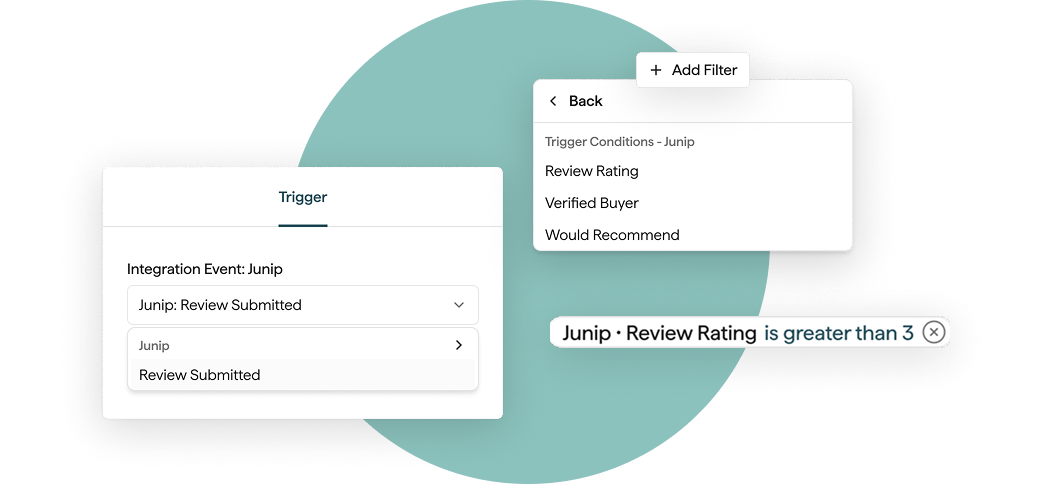
Connect your Junip account to pull product reviews directly into Privy. Once connected, review data syncs to every matching contact and becomes available across Flows, Segments, and email content.
Store review counts, ratings, and recency as contact properties
Segment customers by review activity or star rating
Trigger Flows when a contact leaves a new review or updates an existing one
Connect your Rivo account to pull loyalty data directly into Privy. Once connected, loyalty customers sync automatically and their data becomes available across Flows, Segments, and email content.
Sync loyalty customers with points balance, VIP tier, credits, and referral URLs
Segment by loyalty status or points
Trigger Flows from loyalty events, with Split node support
Out-of-stock doesn't have to mean a lost sale. When inventory returns, you can now set up a Flow to automatically text or email the customers who asked to be notified.
Add the Back-in-Stock sign-up form on any product page
Leverage our out-of-the-box templates to trigger your Flow on product restock events, with product-aware dynamic blocks
Works with both online store and physical retail location inventory
Browsing, previewing, and launching templates is faster and a lot more visual.
Redesigned template library
Preview any flow before committing to create it
Editable Product Blocks
No more leaving the editor to tweak a product. Override the title, price, or URL of any static product block and the change lives only inside that email.
Works across Flows and Campaigns
Your underlying catalog stays untouched
Low SMS Credit Alerts
Get an email when your SMS credit balance is running low, before a send fails.
Product Picker Improvements
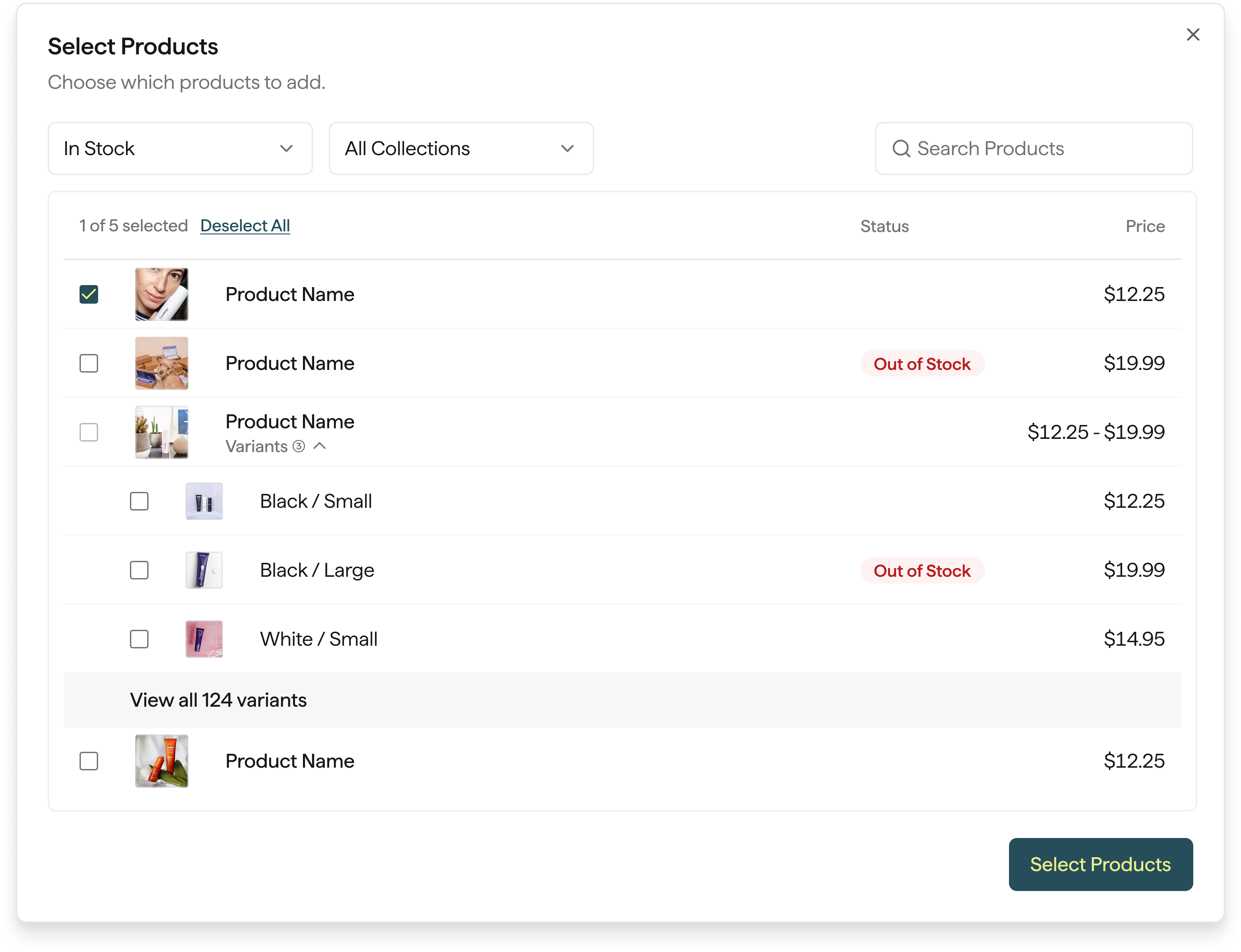
Select the main product row and search products by SKU to build emails and flows faster.
Rearrange or clone steps inside a draft Flow by dragging them where you want. Building and reorganizing automations is faster and a lot more intuitive.
Smarter Flow Splits
Branch Flows on the signals that matter most.
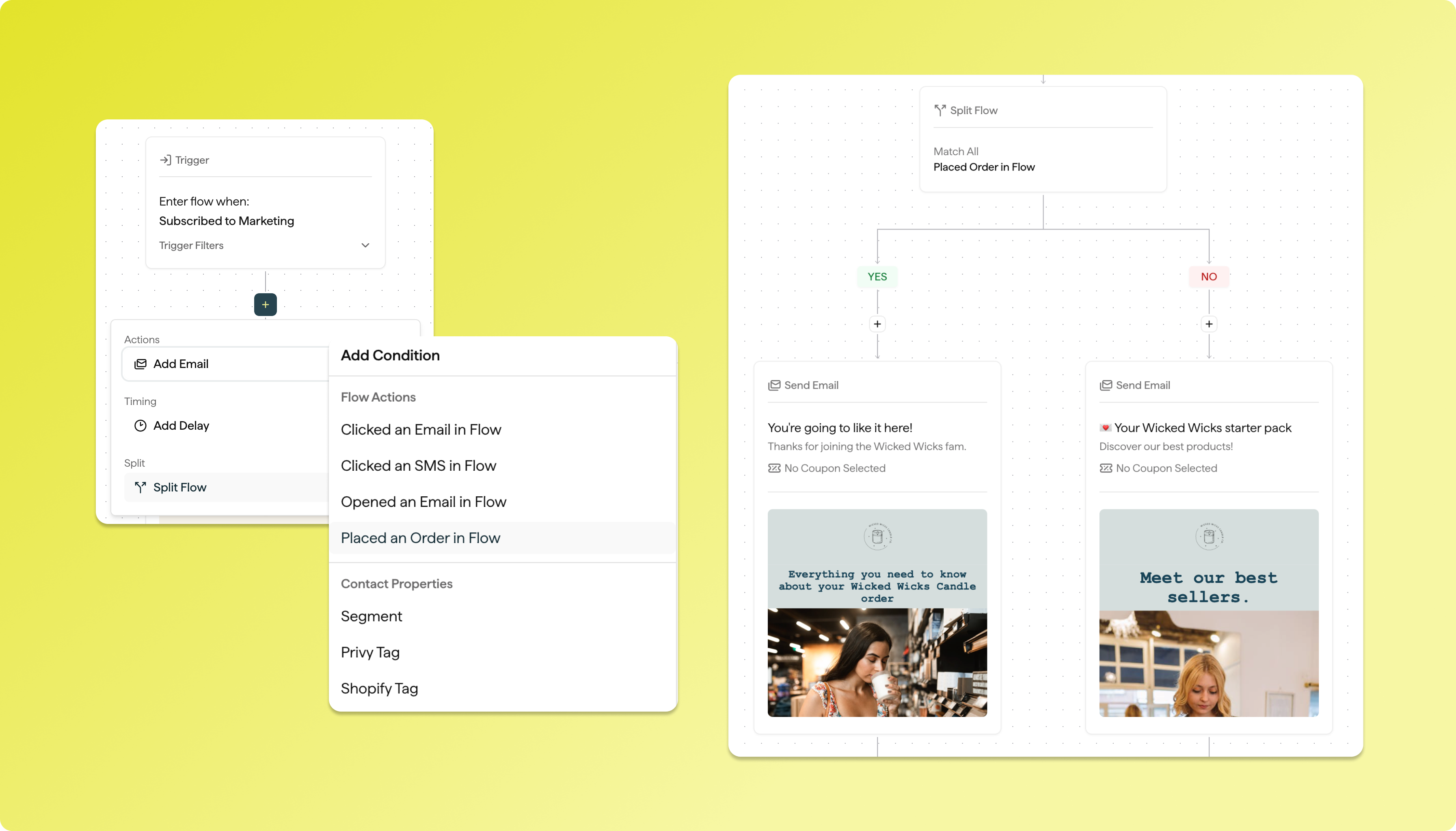
Split on specific email or SMS events
New Split Flow filters for more precise conditional logic
Improved coupon handling inside Flow branches
Retroactively Add Contacts to Flows
Eligible contacts can now be added to an automation after it's already running, so qualifying audiences don't miss important messages.
We’ve launched several major improvements to help you send faster, convert more shoppers, and manage your marketing with ease — just in time for peak holiday growth.
Faster Broadcast Sends (up to 50% faster!)
We’ve supercharged our broadcast delivery system:
Messages now start sending almost instantly
Up to 50% faster timezone-based sends for large lists
Better reliability and performance during high-volume campaigns
This means your audience hears from you exactly when it matters most — and you see results faster.
Email + SMS Together in One Flow
Now you can build email and SMS in the same automation:
Create seamless customer journeys
Boost engagement with the right channel at the right time
Improve conversion rates with unified messaging
This is now live and available in every account — jump in and try it!
Enhanced Subscriber Profiles
You can now view Profile Properties directly inside a subscriber’s profile:
See purchase and engagement details at a glance
Better understand your customers
Build stronger, more personalized campaigns
Smarter insights = better marketing decisions.
New SamCart Integration
We’ve expanded our commerce compatibility! Emotive now integrates with SamCart, unlocking:
New store types we can help convert and automate
Better lifecycle marketing for SamCart-powered brands
Rolling out wider access soon
Improved Tools for Growth
Behind the scenes, we’ve made upgrades that make Privy + Emotive:
More stable
More scalable
Faster across the board
You get better performance — especially during busy sending periods like BFCM.
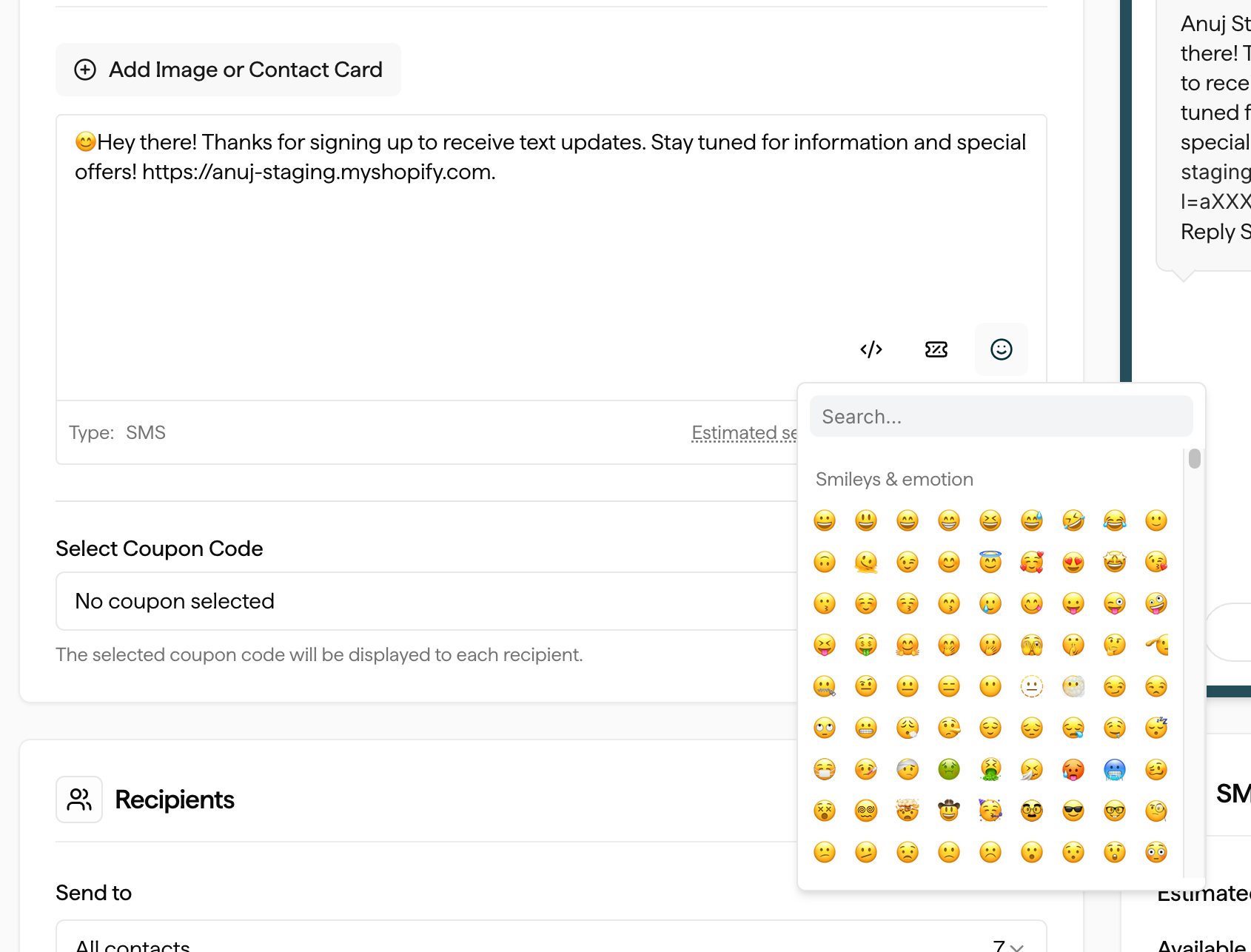
Merchants can now easily add emojis to their SMS campaigns and flows. A new emoji icon button has been added just below the SMS editor. Clicking it opens a popup selector where merchants can browse and insert emojis directly into their message text.
Impact
Flow SMS Nodes – add emojis to automated flow messages for more personalized customer engagement.
SMS Campaigns – enrich campaign messaging with emojis to drive higher attention and engagement rates.
Access
Available to all merchants immediately—no setup required.
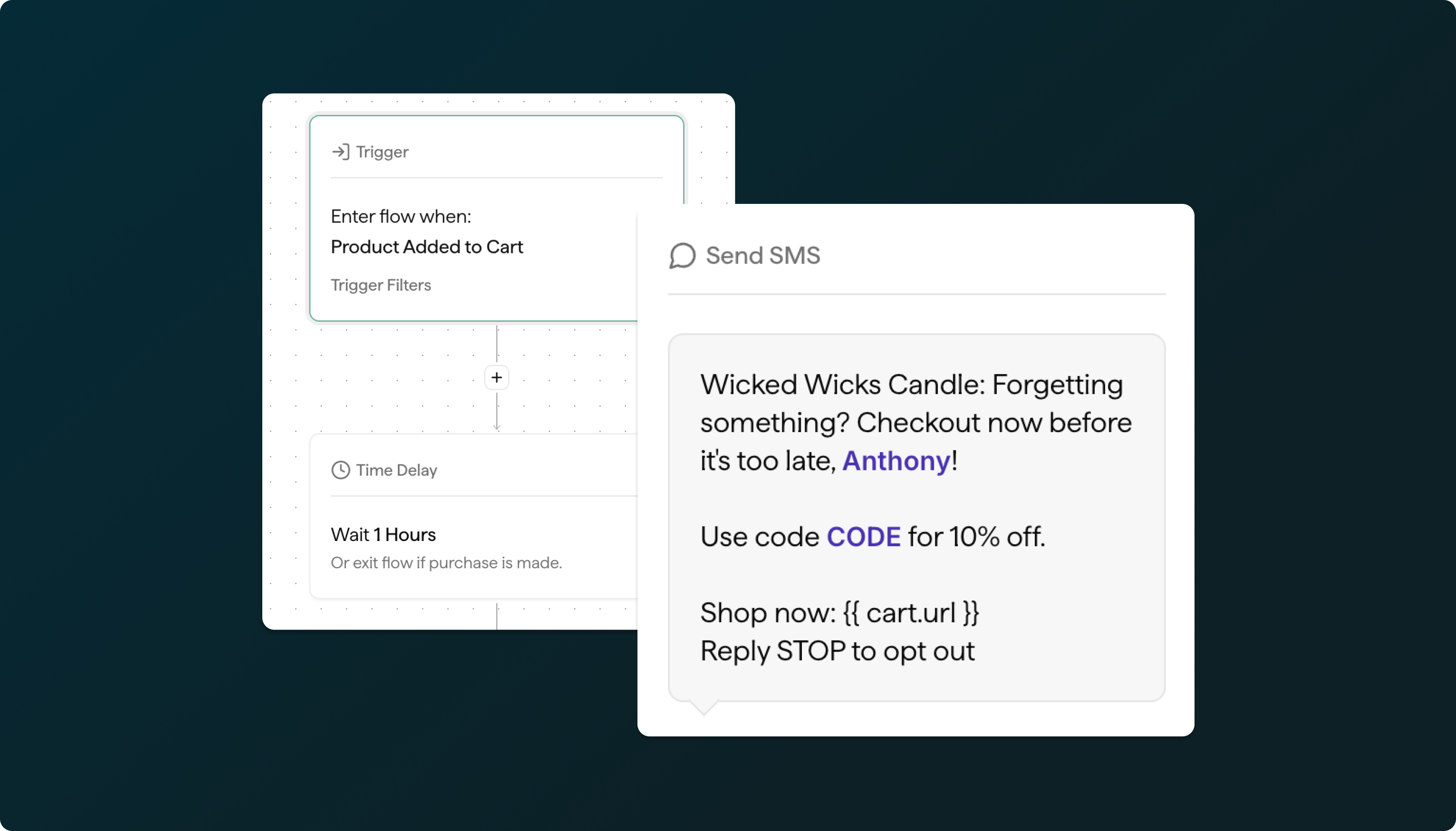
Enjoy the same powerful personalization you get with our new email Flows — now extended to Abandoned Cart text messages.
Launch your Abandoned Cart SMS Flow today.
Here is some of the key functionality:
Quiet Hours Management: When a customer enters the flow during quiet hours, the SMS will be automatically paused and delivered during the next active period for that customer's timezone.
SMS Credits: If a merchant runs out of SMS credits, the flow remains active but text messages will not be sent until credits are replenished.
Full SMS Campaign Features: The SMS node includes all features available in SMS Campaigns, including:
Image attachments
vCard integration
Liquid variables support
For more details, view the Help Center article here.
Now, beyond just Segments + Tags, you can split your automated Flows based on whether a contact has purchased, opened, or clicked messages within the Flow.
Merchants can use advanced targeting rules to fine-tune when and where on-site messages appear. With Smart Triggers, you can combine conditions like exit intent, scroll depth, referring URLs, UTM parameters, and specific page views to deliver the right message to the right visitor at the perfect moment.
Privy Flows is a new visual marketing automation platform that replaces the previous Privy Automations tool. Designed specifically for ecommerce use cases, Privy Flows allows merchants to trigger emails and SMSbased on customer actions such as signups, cart abandonment, purchases, fulfillment and more. Some of the highlights include:
A new intuitive, visual Flows experience that lets you connect triggers, delays, conditions, and messages into seamless, automated customer journeys.
Combine Email and SMS messages in the same Flow for truly personalized omnichannel marketing
Trigger Filters give you precise control over who enters a Flow, using conditions like segment membership, sign-up source, tags, purchase history, and more
Flows support conditional splits based on actions and properties like clicks, opens, opt-in method and source, segments, tags, and cart or product activity.
Deep ecommerce integrations let you tap into product catalogs, order history, and on-site engagement